[Scroll]
Year
2023-24
Client
Unisys
Project type
UX Design
Role
UX/UI Lead
BACKGROUND
A considerable portion of the South American population remains unbanked due to various barriers, including high banking fees and perceived inaccessibility
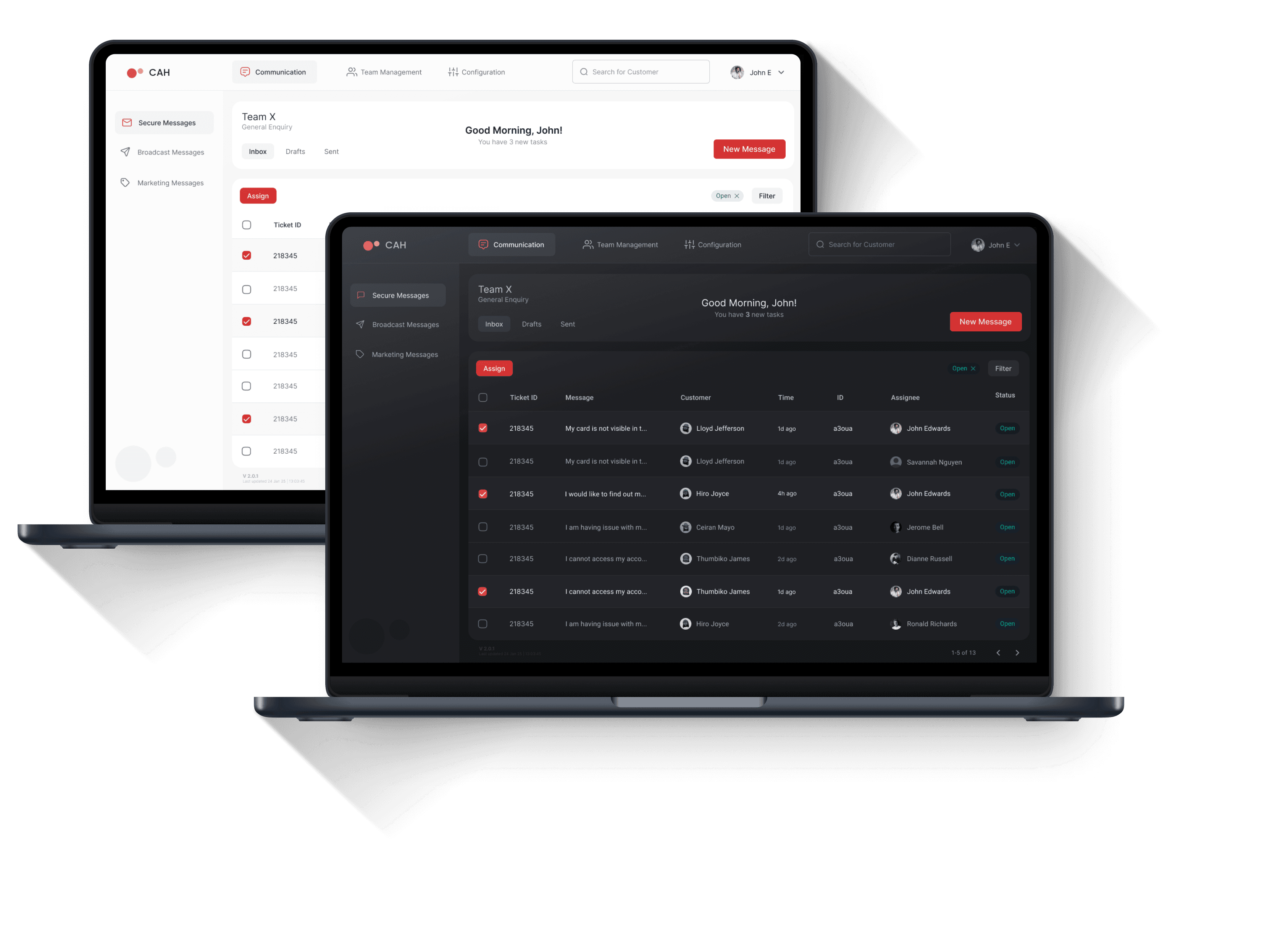
McKinsey & Company's 2020 report on "Improving productivity in a disrupted landscape: How to transform Latin American banking" highlights the critical role of digitization in addressing these challenges. The report underscores that while digital counterparts have witnessed substantial growth in customer acquisition, traditional banks have struggled to keep pace due to their higher operational costs and less efficient processes.
Unisys Digital Banking aims to empower traditional banks to not only expand their customer base but also streamline their operations for improved cost-efficiency
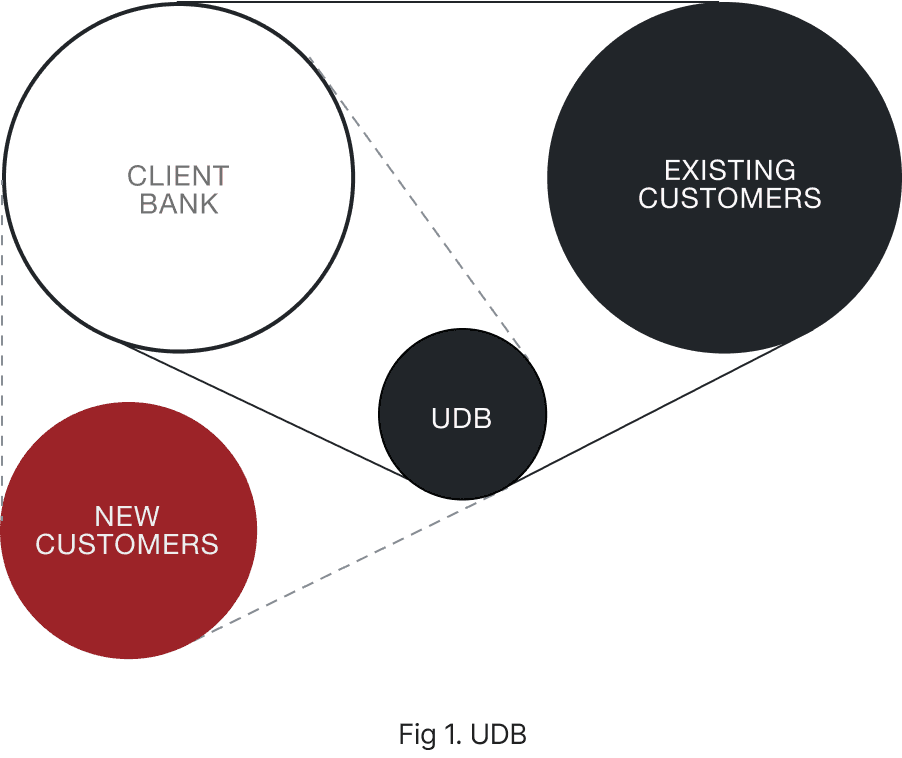
THE SOLUTION
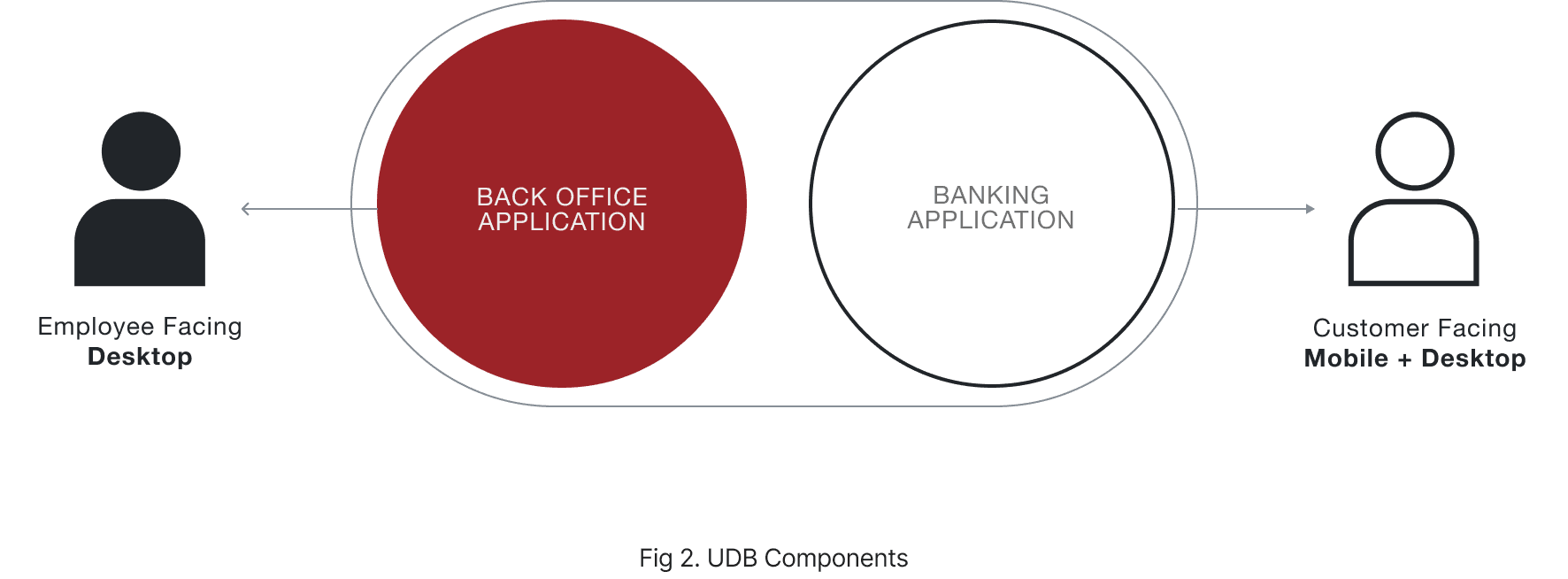
The UDB solution comprises a customer-facing Banking Application and a Back Office Application
MY ROLE
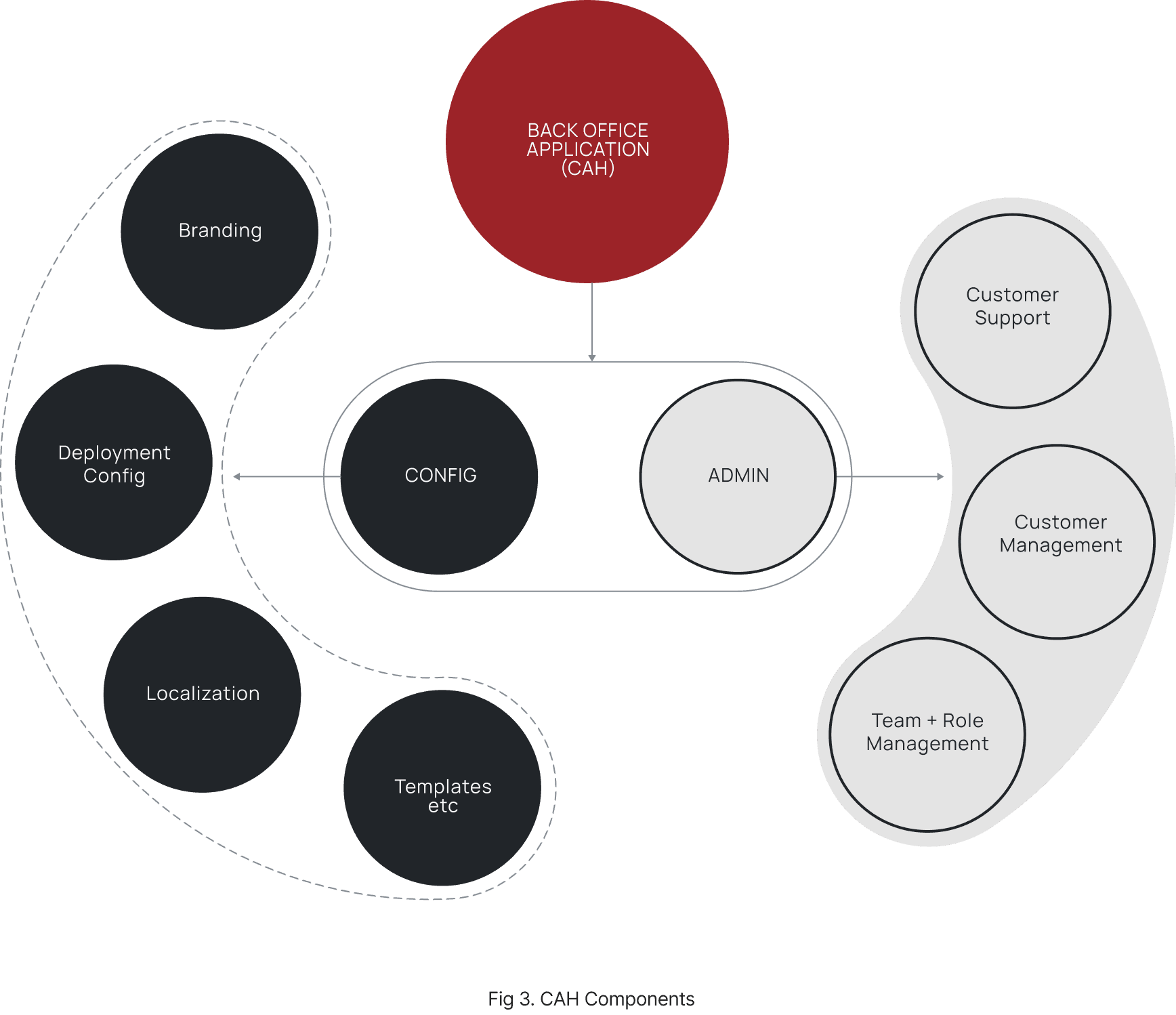
My primary role was to conceptualize and lead the UX/UI design for the Back Office Application -
The Configuration and Administration Hub or CAH
I was the Lead UX Designer for this project working closely with the Creative Director along with 2 UX Designers and a dedicated Visual Designer
I interacted closely with multiple stakeholders including Business Analysts, Solution Management and Technical Architects
CHALLENGES and Approach
01
Lack of publicly available references for a back office application
02
Budget and Time constraints for conducting first hand user research
Approach
Subject Matter Experts in the Team & Streamline design process to exclude initial user research while leaving room for User Validation at a later stage
PROCESS
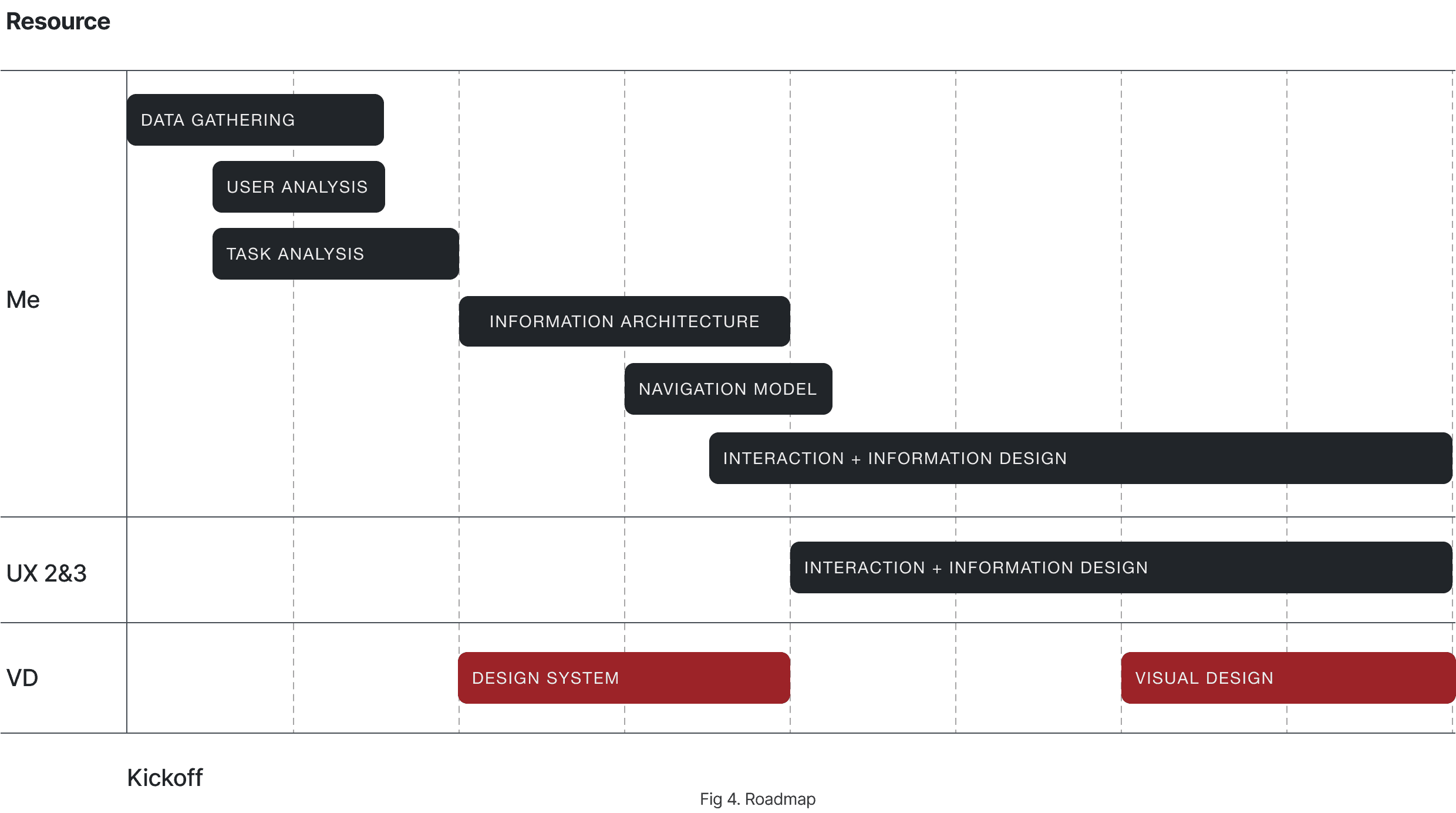
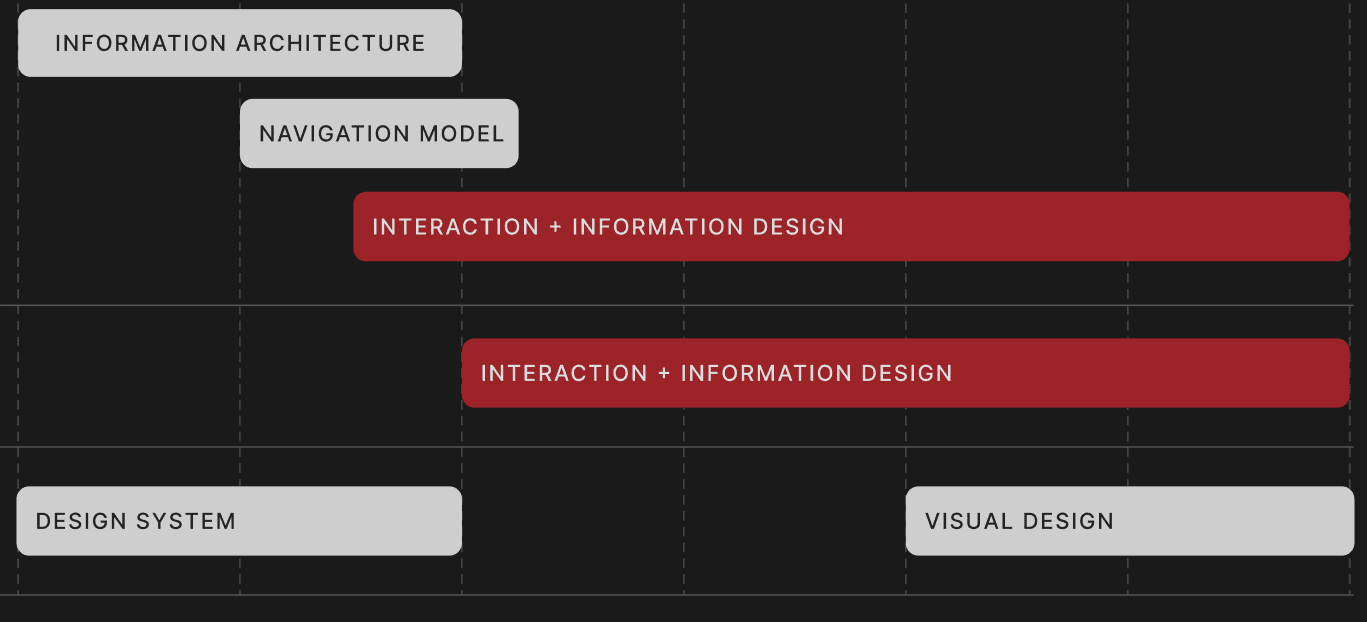
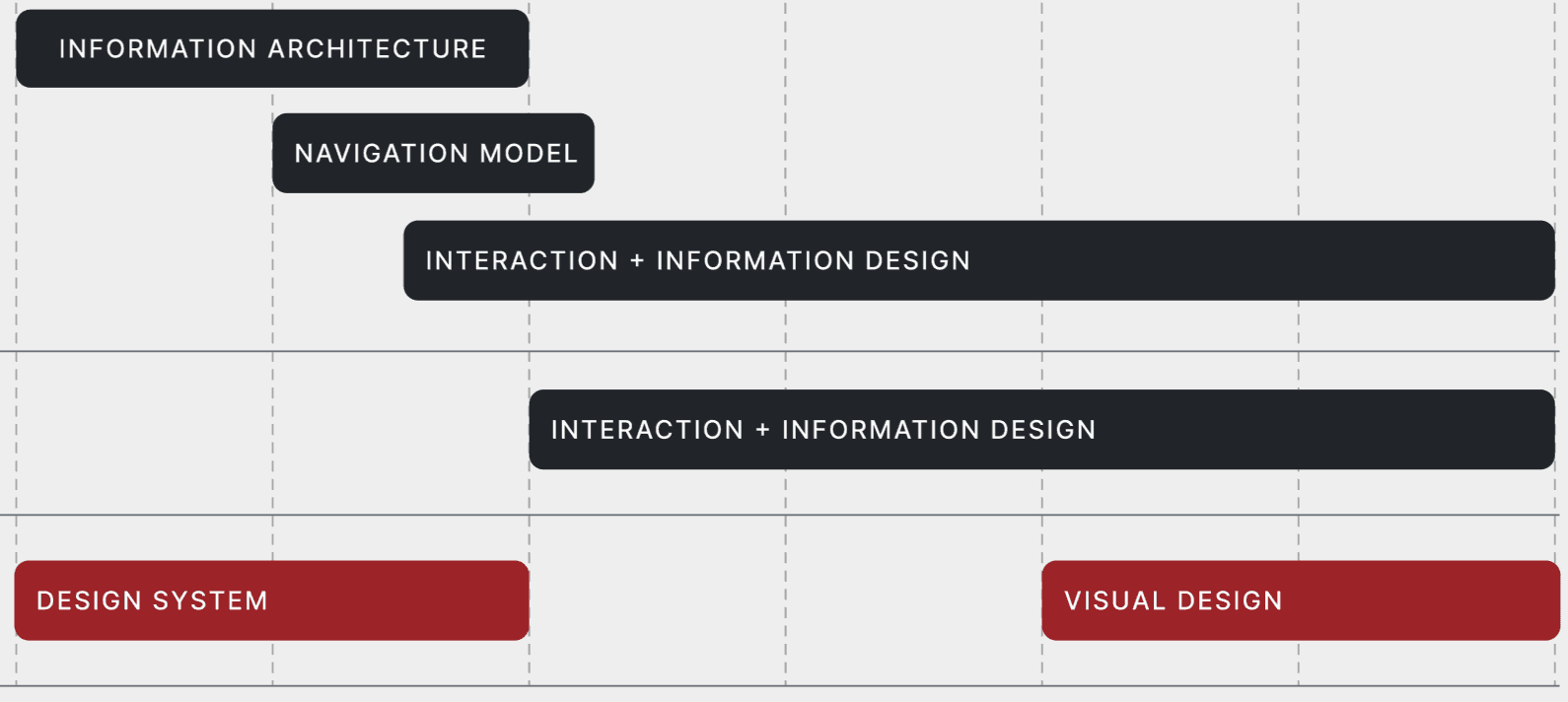
We designed the roadmap to involve the UX resources during the core wireframing process and kick off the visual design process after the requirement and task analysis phase.
DISCOVERY
I conducted Discovery Workshops with the stakeholders to understand the project, gather requirements, and achieve consensus on the scope and key priorities of the project.
1
I gained an understanding of the major Epics and User Stories envisioned for the first phase, as well as key documents and repositories.
2
I gained an understanding of the responsibilities and consulting capacities of various stakeholders, as well as the Design Signoff process.
3
I uncovered the importance of considering the inter-relationship between the Back office application and the Customer facing application when approaching the design for the CAH.
4
I gained an understanding of the major milestones planned for the project overall, including those specific to CAH.
users
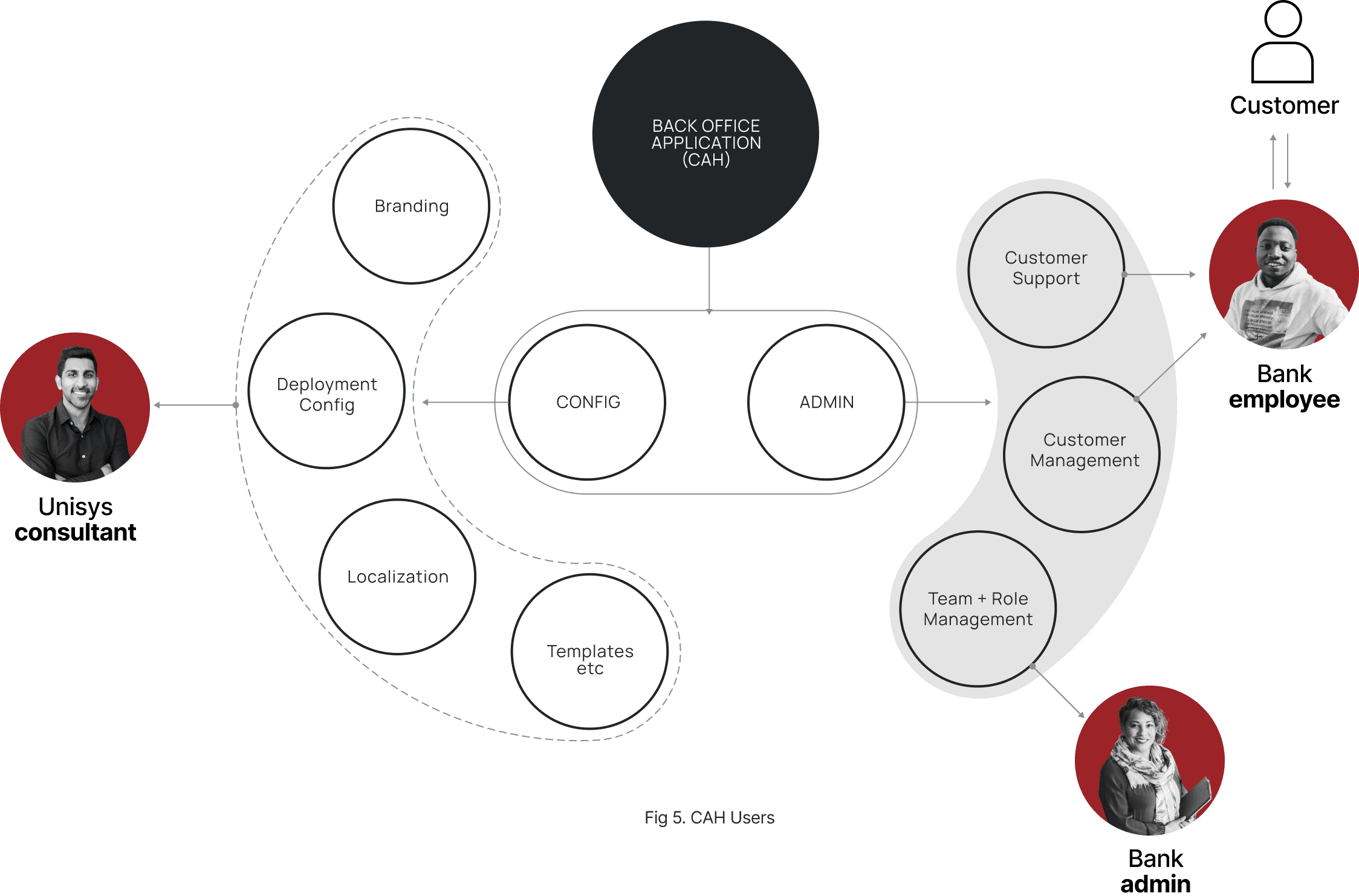
I identified three major User Segments from the discussions:
1
Unisys - Deployment Consultant
This user is an employee of Unisys and would assist the client bank in configuring the application before launch.
2
Client Bank - Admin
This user, an employee of the client bank, would handle tasks such as 'Role & Team Management'.
3
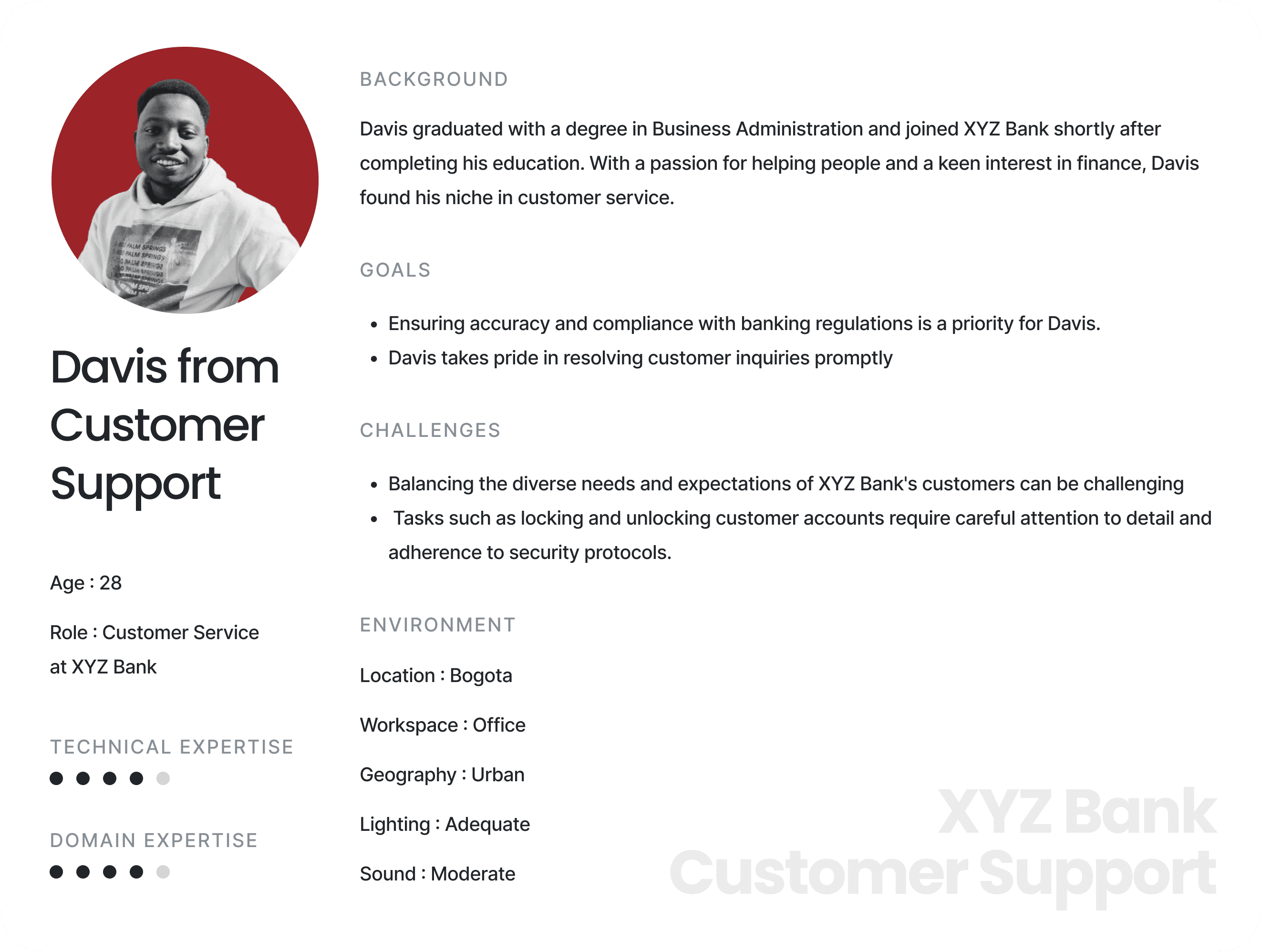
Client Bank - Customer Support
This user, also an employee of the client bank, would manage day-to-day activities such as 'Suspending & Unsuspending Accounts' and 'Responding to Customer Messages'.
personas
task analysis
Task Analysis & Service Design
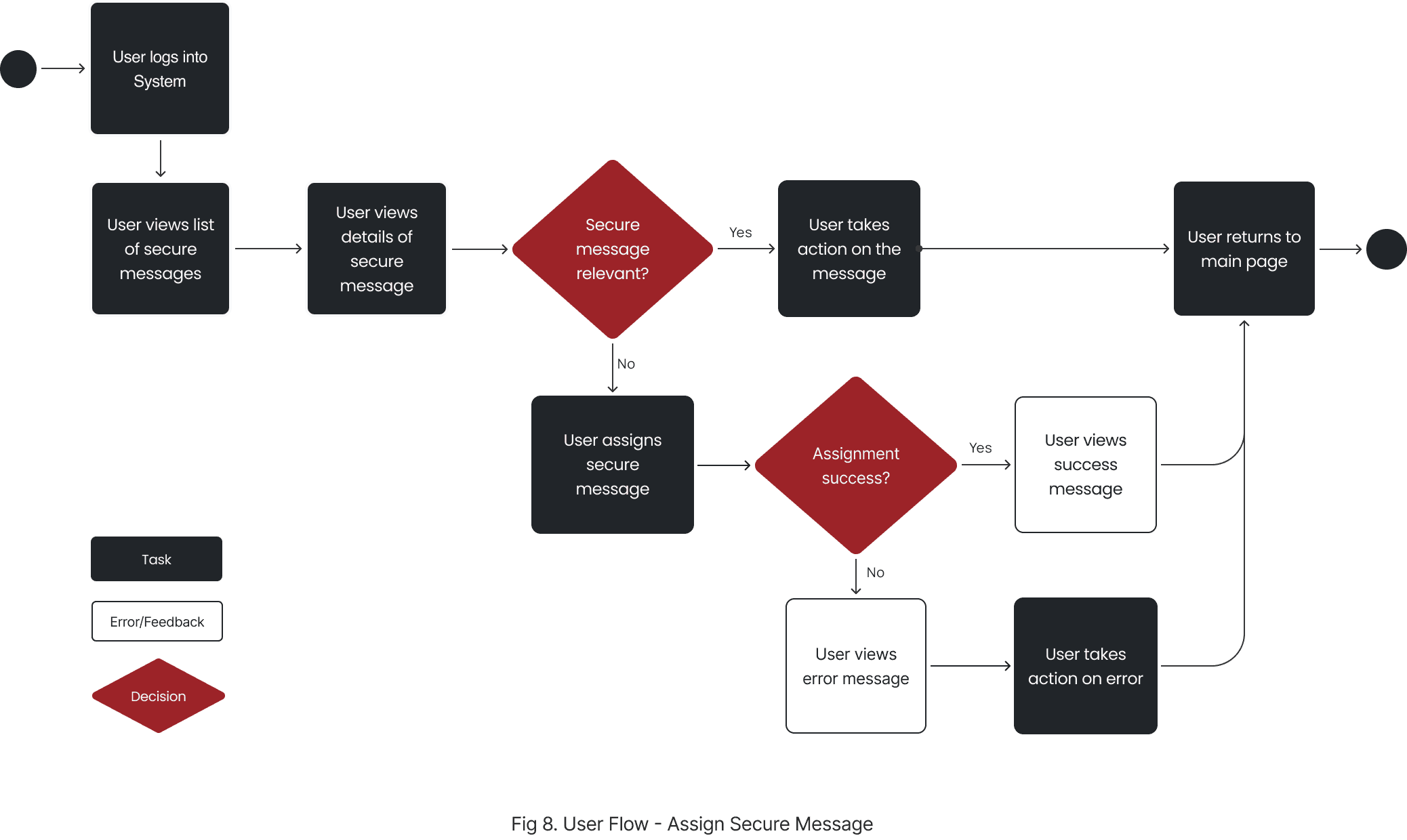
USER FLOWS
For tasks such as 'Role Management' and 'Team Management', I created multiple user flows.
I followed Usability Best Practices by integrating features such as feedback mechanisms and robust error handling.
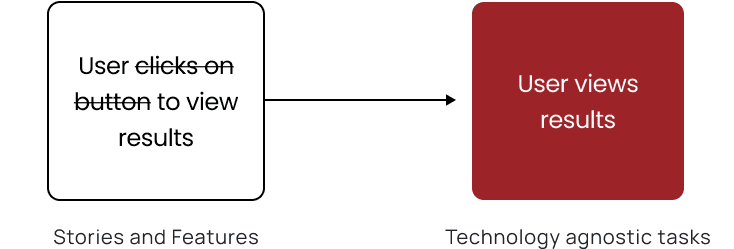
They were designed to be technology-agnostic, ensuring that the focus remained on clarifying user needs and validating requirements rather than committing to solutions at this stage.
Service Blueprints
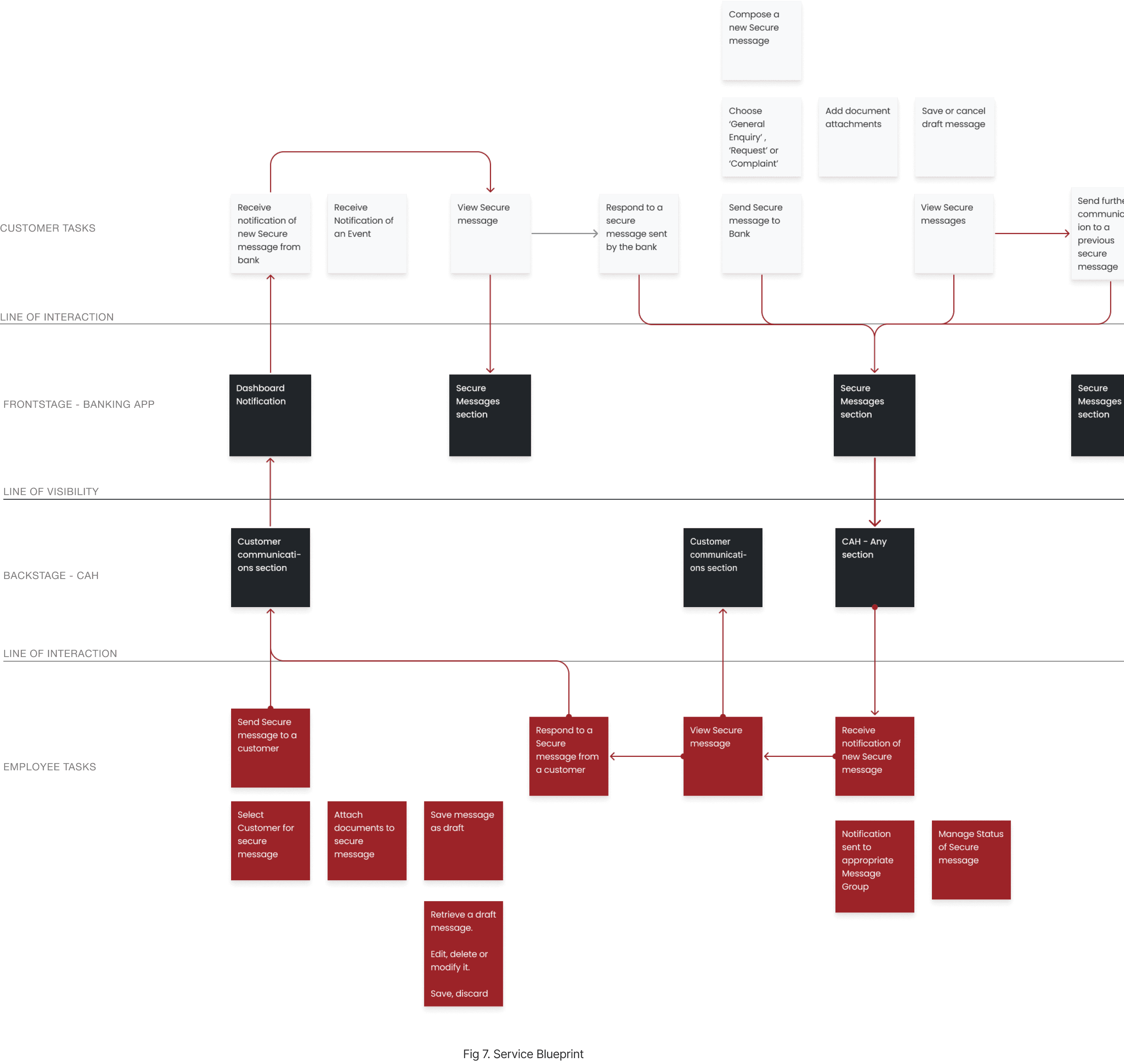
Many tasks involved interactions between employees and customers, such as 'Customer Support'.
For these tasks, I opted to use Service Blueprints to map the relationships between Employee Tasks, CAH, Customer Tasks, and the Banking App.
I had extensive discussions with both the Design Team and Solution Management teams responsible for the Customer Facing App.
These meetings helped me understand how the two applications are interconnected.
card sorting workshop
I conducted a open card sorting workshop with the stakeholders to understand the Categorization and Labelling for the CAH Information Architecture
The workshop was conducted over a span of two days and enabled us to categorize and label the high level tasks that was identified
The workshop was very well received and yielded excellent results
methodology
01
Stakeholders from the various teams were introduced to the workshop, the objectives of the workshop and the methodology
Participants - Business Analysts, Solution Management and Technical Architects
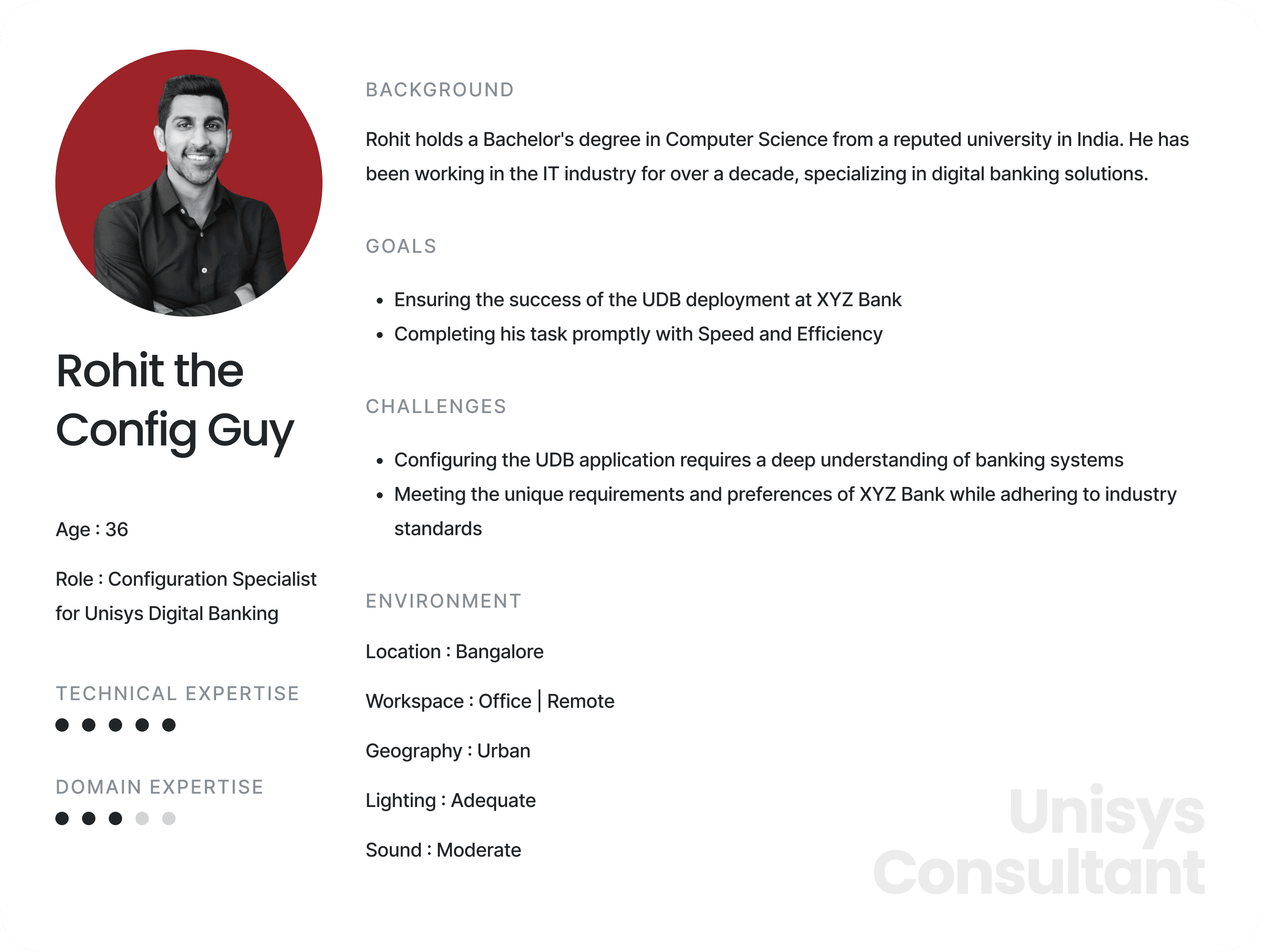
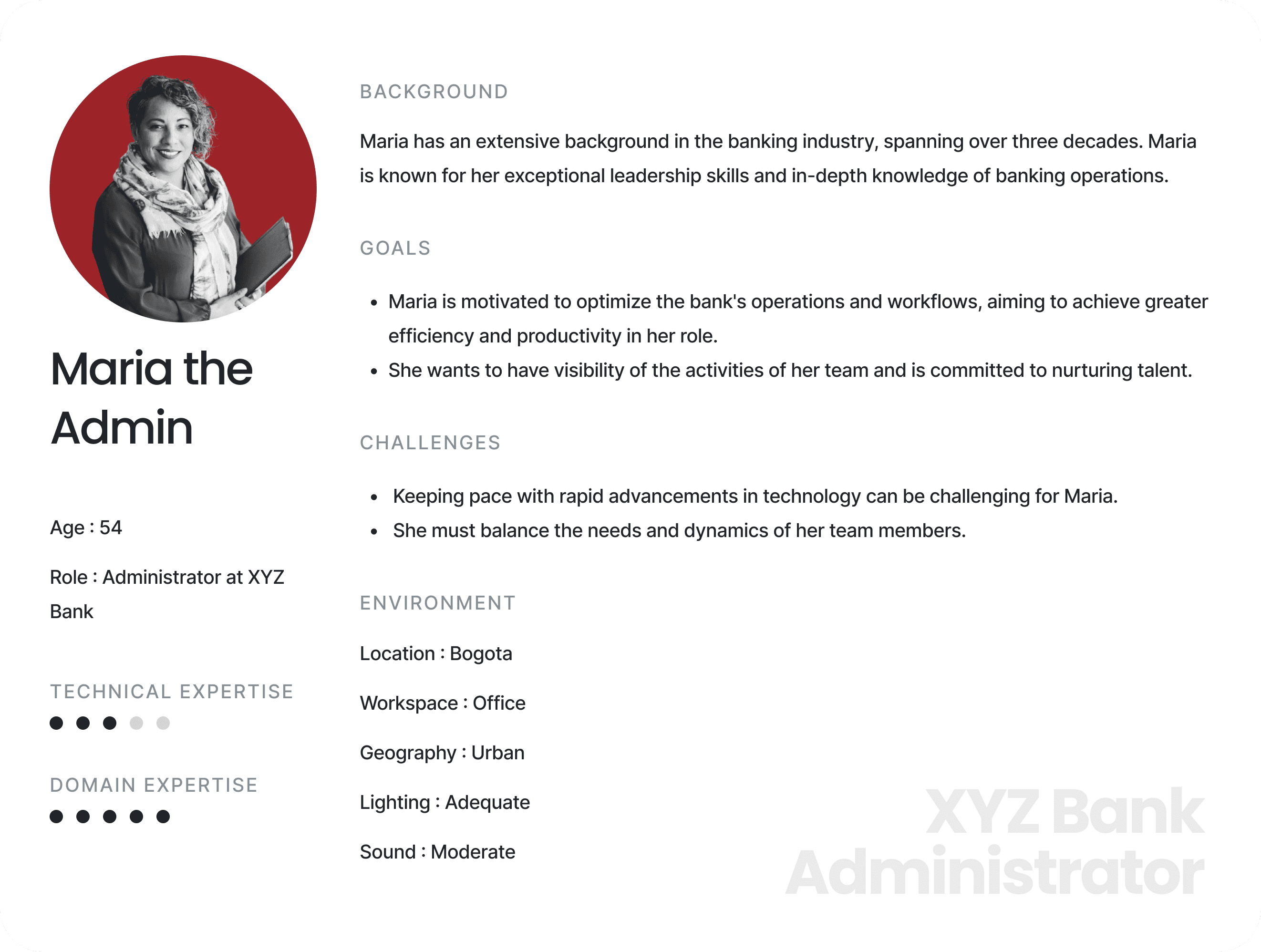
Introduction to the personas
The three personas were introduced to the participants

Rohit
The Config Guy
Davis
From Customer Support
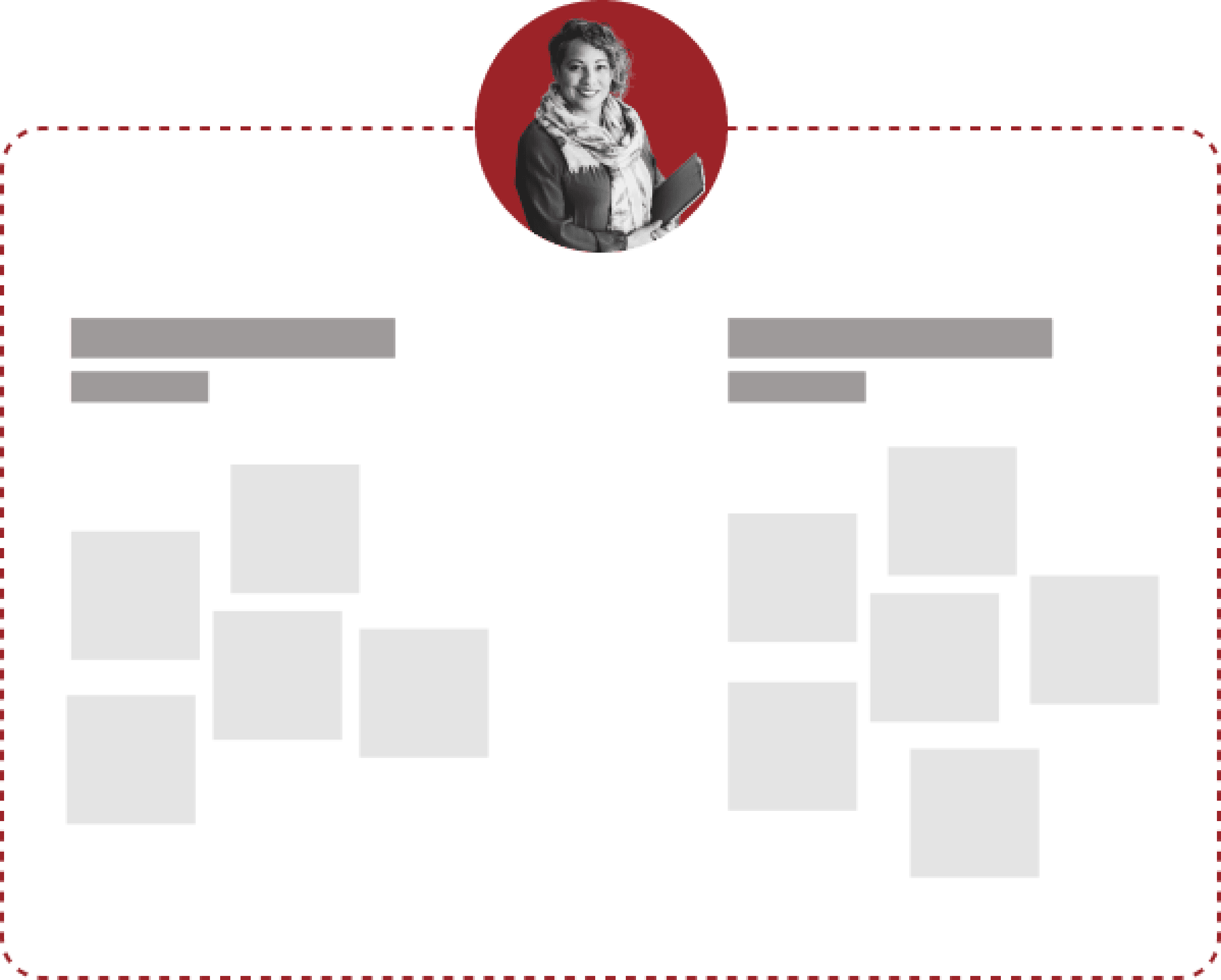
Maria
The Admin

Breakout - Categorization and Labelling
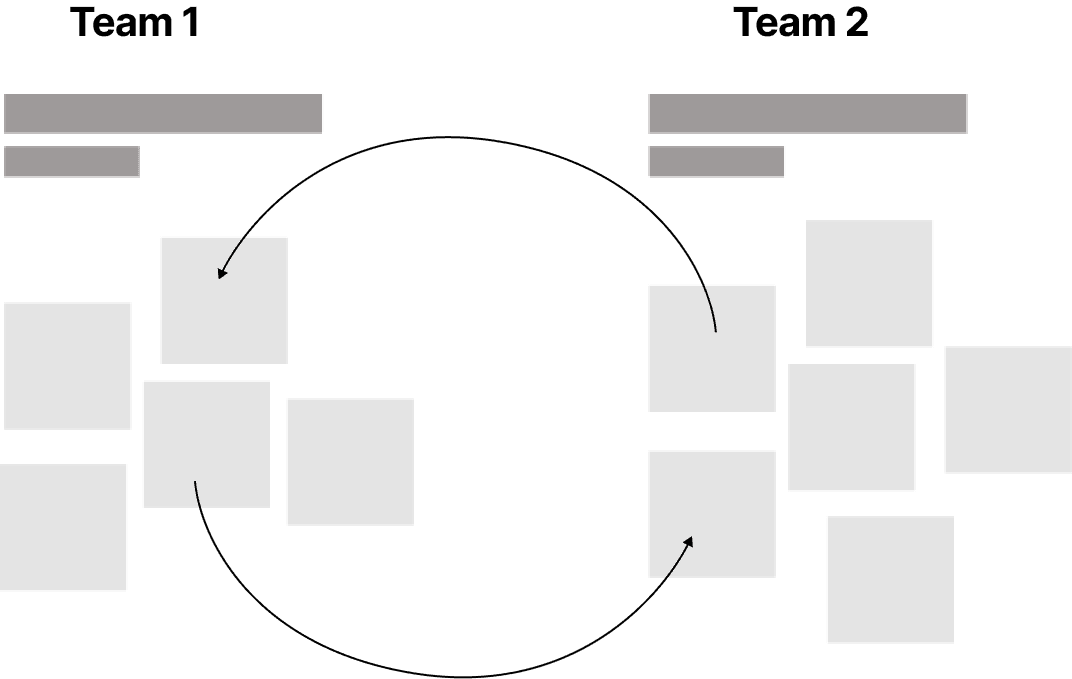
The participants were divided into two groups with representatives from each team and ask to Categorize and Label the different tasks independently of each other

Breakout - Assigning to Personas
The participants were then asked to assign the various tasks to the personas introduced at the start
Reconvene - Brainstorming
After completing all tasks, we reconvened for a comprehensive brainstorming session to discuss and resolve discrepancies between the two teams' results.
information architecture
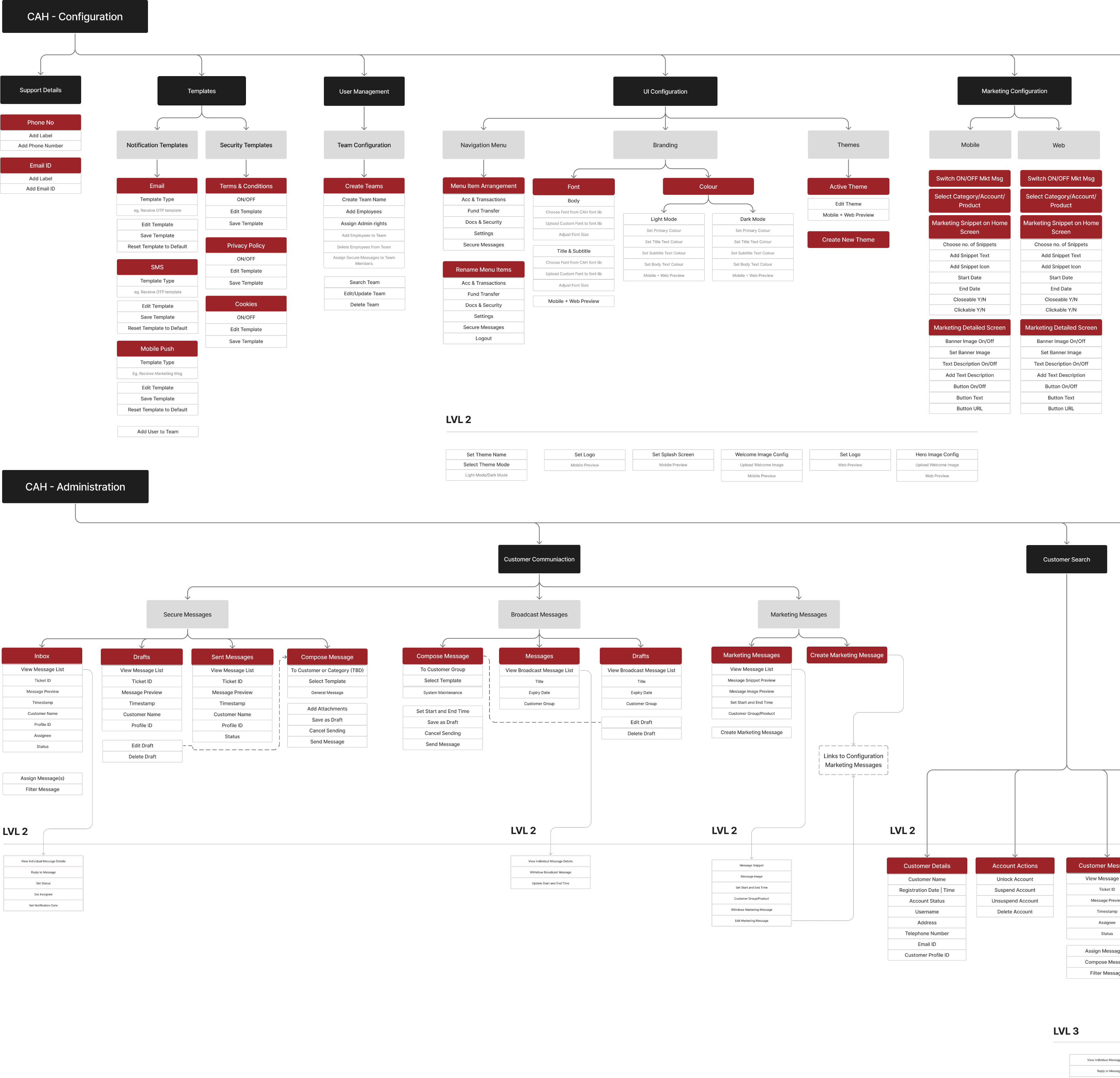
Using the insights from the workshop and task analysis I derived a comprehensive Information Architecture for the CAH
The Information Architecture serves as the blueprint that organizes and structures complex information within the CAH, ensuring that users can intuitively navigate through the system and accomplish tasks with ease.
It also lays the foundation for scalability, enabling the CAH to adapt and evolve in response to changing user needs, technological advancements and regulatory requirements.
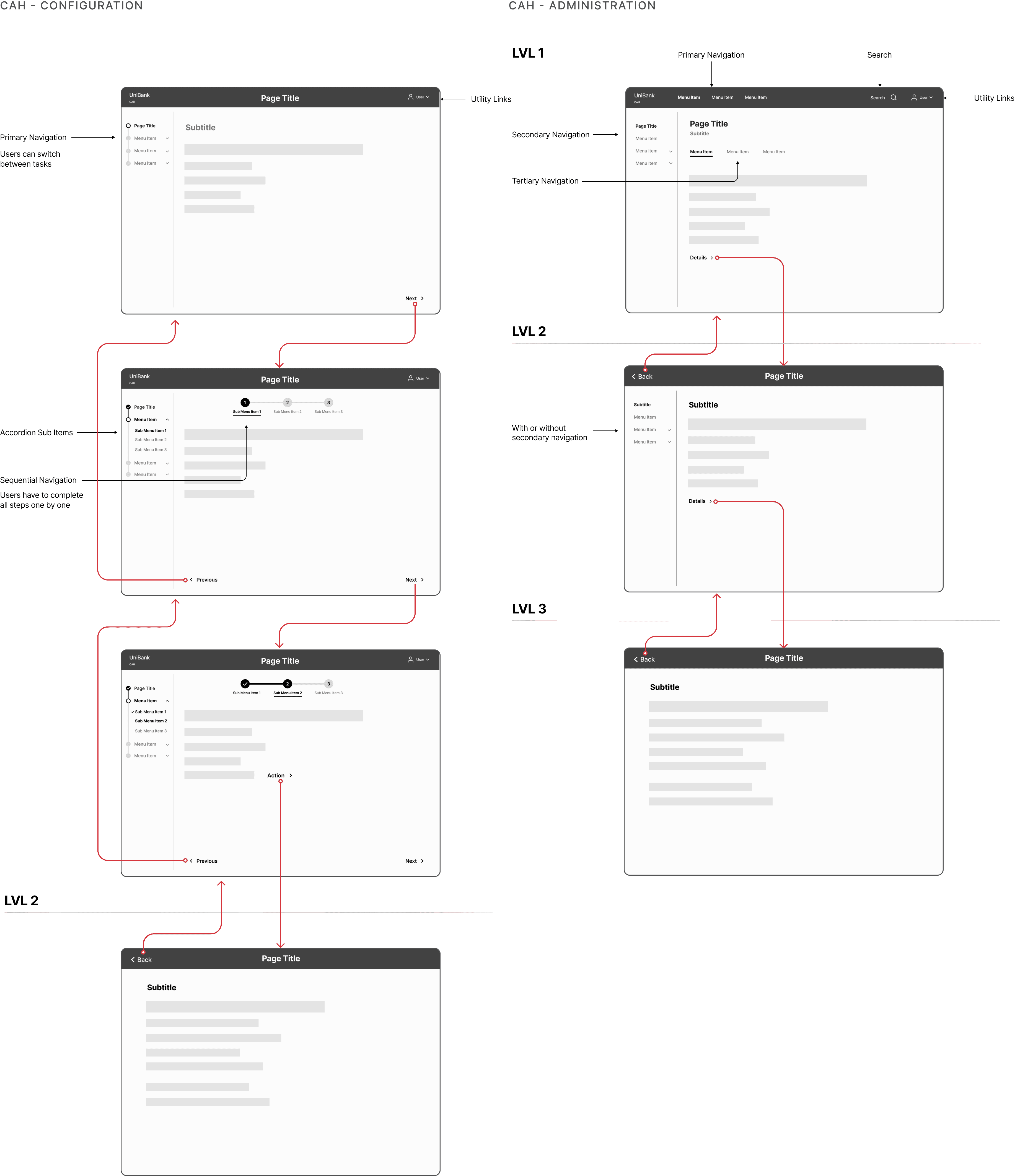
Navigation Model
I designed Navigation Models by analysing the Information Architecture alongside insights from the Task Analysis
SETBACK
Scope Creep
We received an unexpected request from senior management to integrate AI into the CAH.
01
We conducted a an quick audit of indirect competitors with similar features such as zendesk
02
We presented our findings to the TAs and SMs and eventually deprioritized this for the current pahse
wireframes
I started involving the other two UX resources for designing the Information hierarchy and interaction using wireframes
Together, we focused on creating intuitive user experiences by defining clear content hierarchies and interaction flows.
This initial collaborative effort integrated diverse perspectives strengthened the foundation for a consistent User Experience across the CAH.
wireframe example

Detailed Design
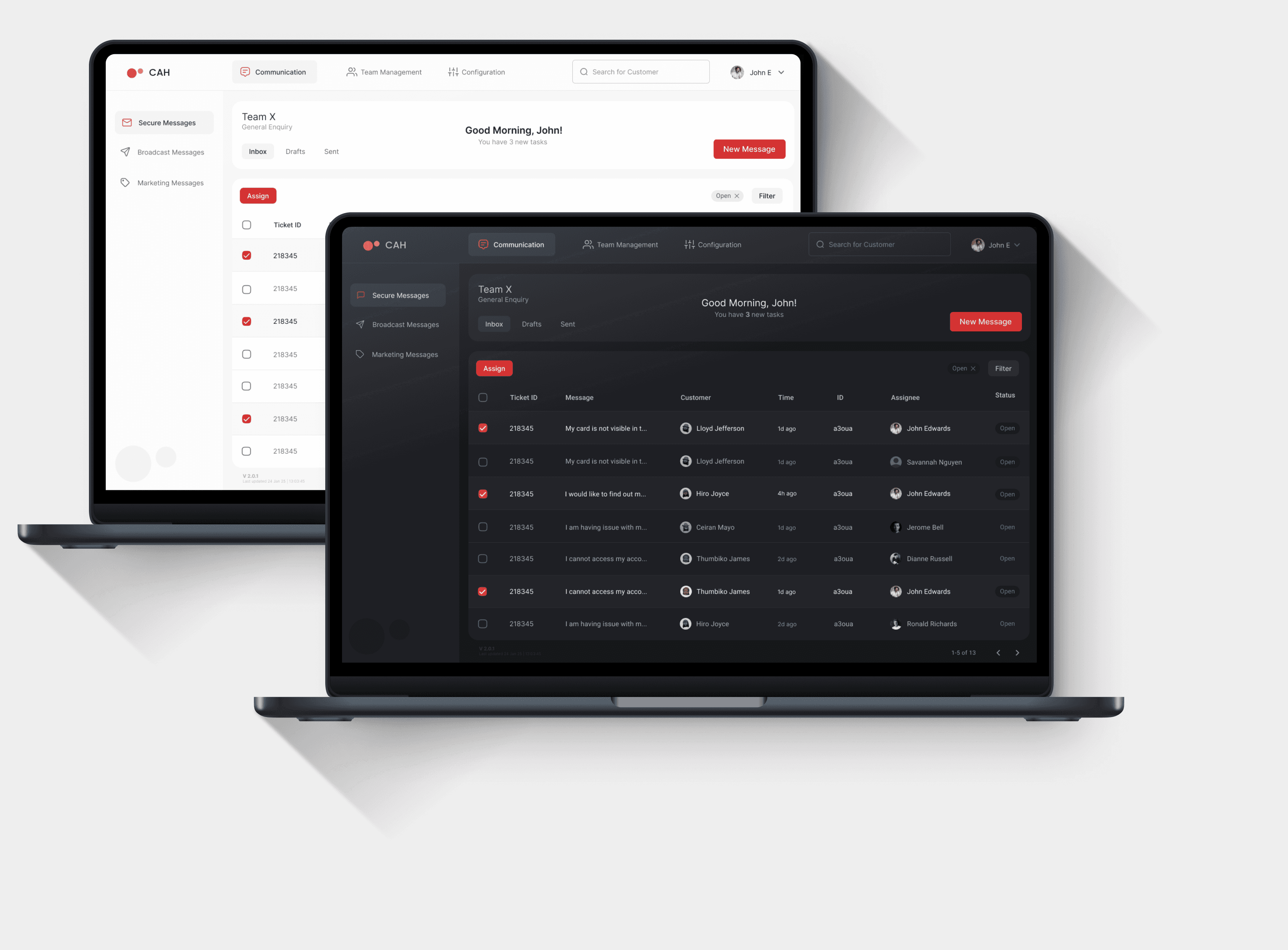
By this time, I had had several sessions with the Visual Designer and we had finalized on the visual scheme for the CAH
After approval of the design system and the initial set of wireframes, the designer commenced detailed design work, maintaining regular meetings with the UX team.
We implemented accessibility and readability checks, ensuring validation before handing off to development.
Detailed Design Considerations
1
We decided early on to base the system on Material Design for this project because of its readily available design and development libraries (React MUI)
2
The primary focus in visual design was ensuring compatibility with white-labelling requirements and adapting to various brand colour variations
3
I collaborated with the Customer Facing App team to create a thorough Accessibility checklist, aligned with WCAG 2.1 standards that was used to validate each of the screens before handoff
4
We used a Figma plugin called ‘Stark’ for Accessibility Testing and 'Hemingway' to assess readability
We carefully addressed numerous edge cases when designing for color variations across different brands, and established backend rules accordingly.
For instance, if the contrast ratio between the button and background dropped below a specified limit, the system would automatically apply a darker border around the button and adjust the icon and button text colors to gray.
Explore other Case Studies
Using a customer-centric approach to design a new Car Configurator for Nissan
Using insights from user research to redesign the website for The University of Law, UK
Let's Build
Something Awesome!